
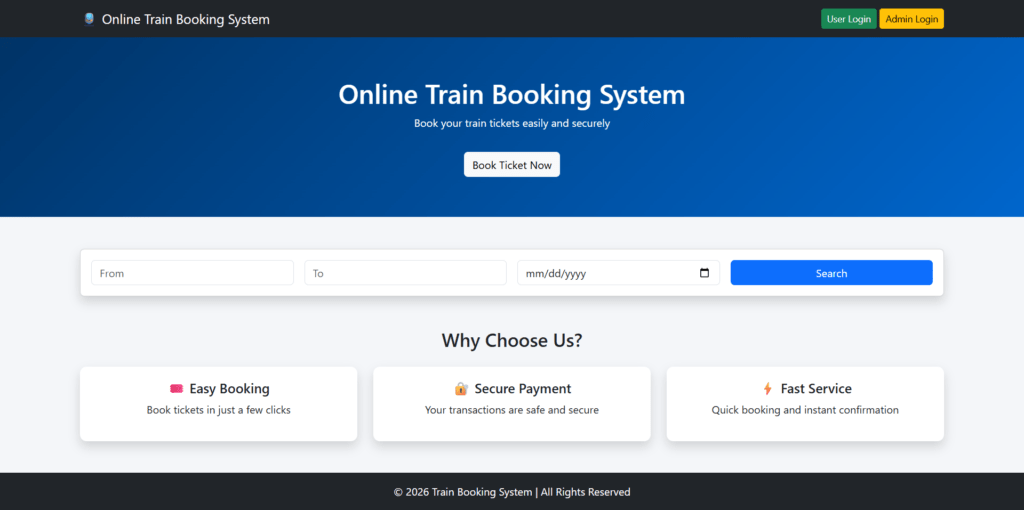
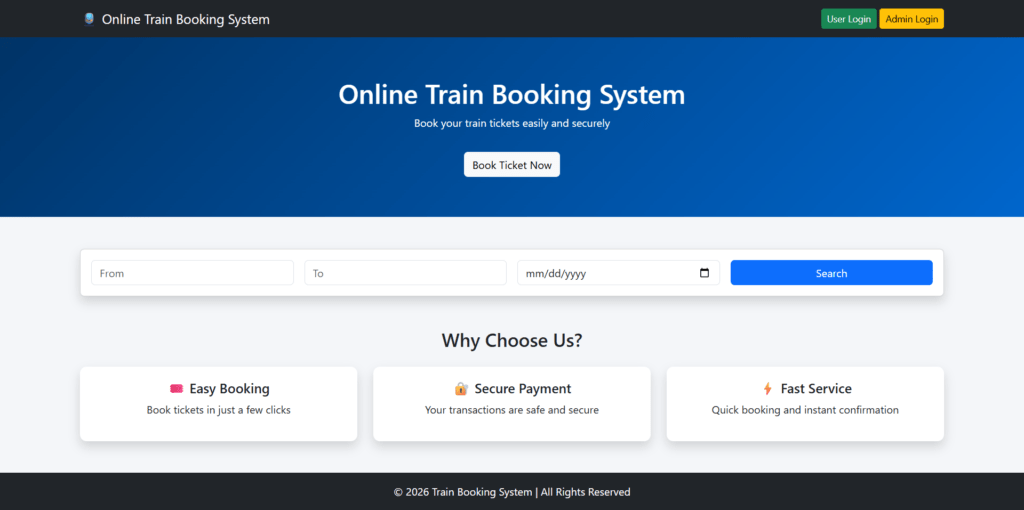
The “Online Train Booking System Project” is a web-based application which uses technologies such as PHP, MySQL, HTML, CSS, and Bootstrap. Online Train Booking Managment System Projec has two modules i.e Admin and User.
Technical Specifications
| Frontend | HTML, CSS, JavaScript, Bootstrap |
|---|---|
| Backend | PHP |
| Database | MySQL |
| IDE | VS Code / Sublime Text |
| Software Required | XAMPP / Wamp / Mamp/ Lamp (anyone) |
✅ Key Features
Online Train Booking Managment System Projec has two modules i.e Admin and User
User Module
The User Module is designed for end users who want to book train tickets online. This module provides all the functionalities required for users to interact with the system.
Functions of User Module
- User registration and login authentication
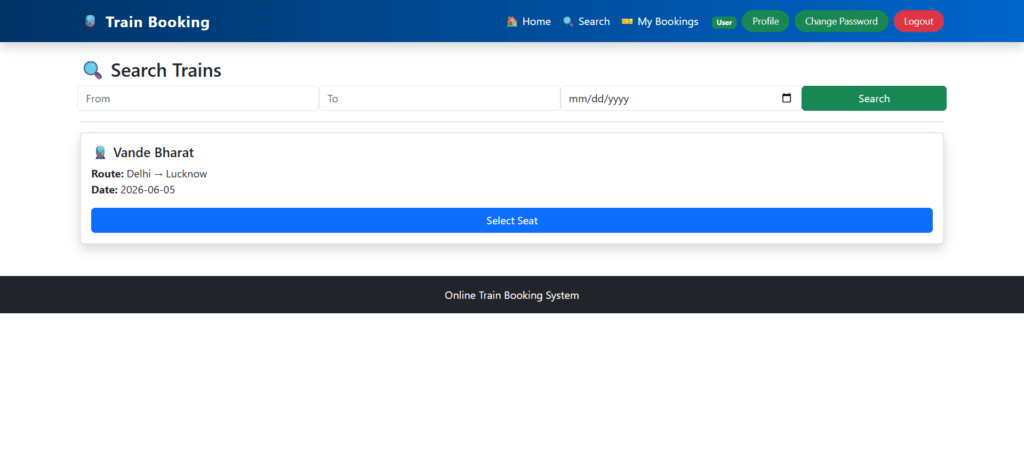
- Searching trains based on source, destination, and journey date
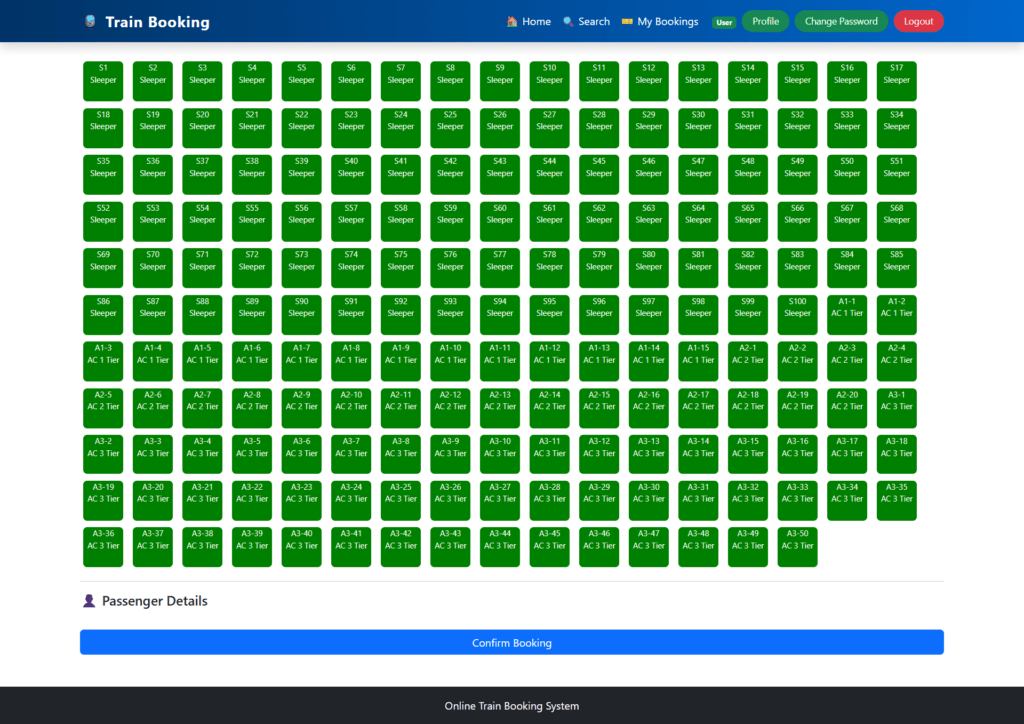
- Viewing available seats for selected trains
- Selecting seats and entering passenger details
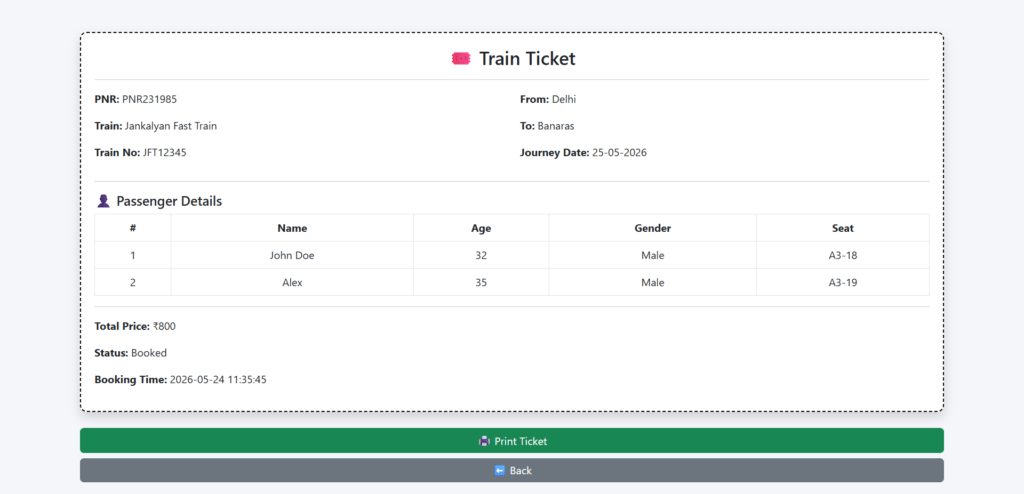
- Booking tickets and generating unique PNR numbers
- Viewing booking confirmation and ticket details
- Cancelling booked tickets
- Automatic seat release after cancellation
- Viewing booking history
- Updating profile information (name, email, mobile)
- Changing password securely
Admin Module
The Admin Module is responsible for managing the entire system and controlling operations. It allows administrators to maintain data and monitor bookings.
Functions of Admin Module:
- Admin login authentication
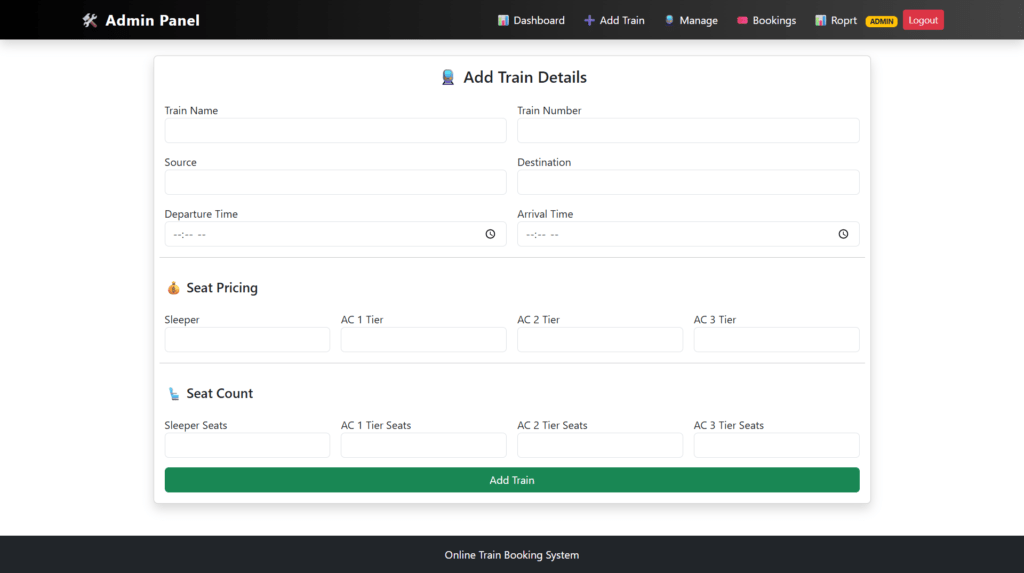
- Adding new train details
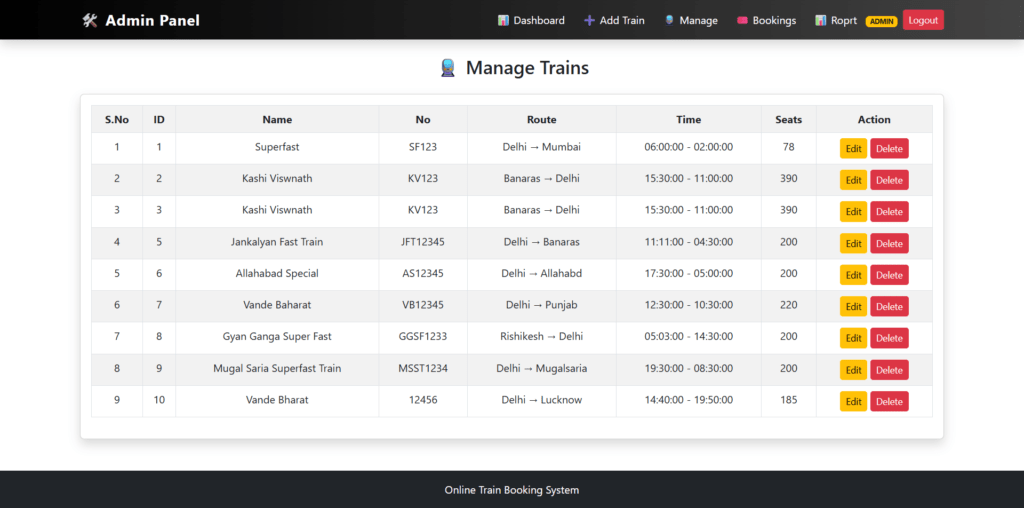
- Updating and deleting train information
- Managing seat layout and configurations
- Viewing all user bookings
- Cancelling bookings (if required)
- Managing seat availability records
- Generating reports (date-wise, status-wise)
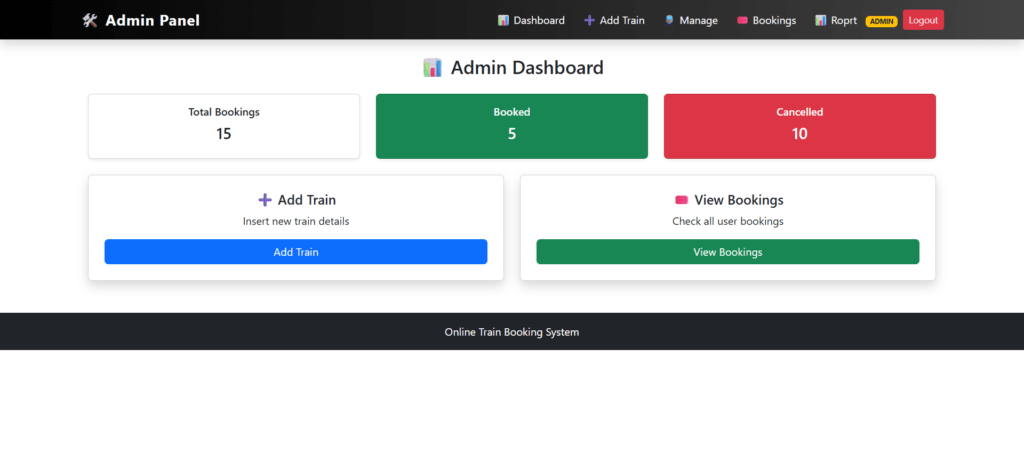
- Monitoring system activities through the dashboard
- Viewing user details and booking information
Online Train Booking Managment System Projec PHP: Some of the Project Screens
Home Page
Search Train
Seat Selection
Ticket Details
Admin Dashboard
Add Train
Manage Trains
How to run the Online Train Booking PHP Project
- Download the project zip file
- Extract the file and copy the
onlinetrainbookingfolder - Paste inside the directory–
xampp/htdocs, for XAMPP C:\xampp\htdocs - Open PHPMyAdmin (http://localhost/phpmyadmin)
- Create a database with the name
train_booking - Import
train_booking.sqlfile(given inside the zip package in SQL file folder) - Run the script
http://localhost/onlinetrainbooking
**********User Credential**********
Username: john12@t.com
Password: Test@123
OR register a new user.
**********Admin Credential**********
Username: admin
Password: 1234
Online Train Booking Managment System Projec PHP: View Demo
Online Train Booking System PHP: Project, Report and PPT
online-train-booking-system-project-using-php-and-mysql-phpgurukul

